


MICHAEL JAMES SMITH TV
4.936.00 Reviews
App Specs
- Version
- 10.200.1
- Updated On
- License
- Free
- Downloads
- 10,000+
- Developer
- PalettePro Ltd
- Categories
- Art & Design
- Platform
- Android
Screenshots
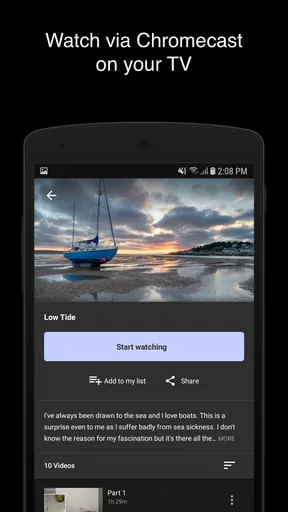
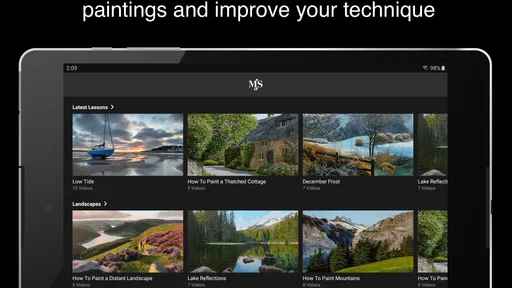
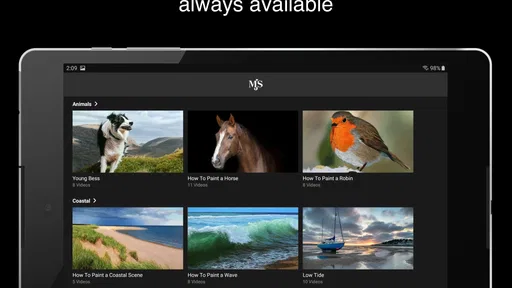
 Analysis by AppCompare
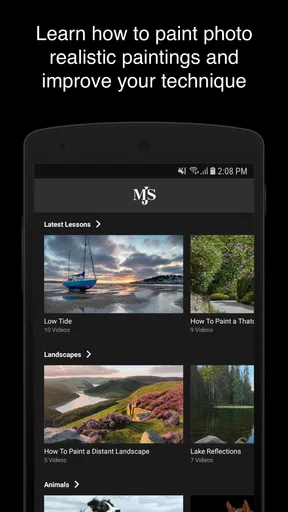
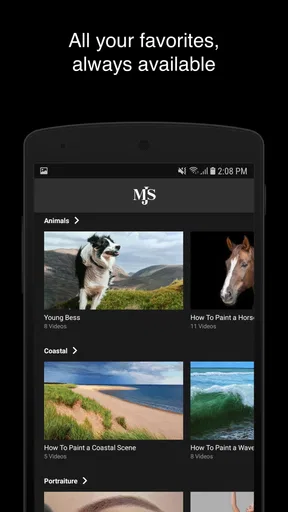
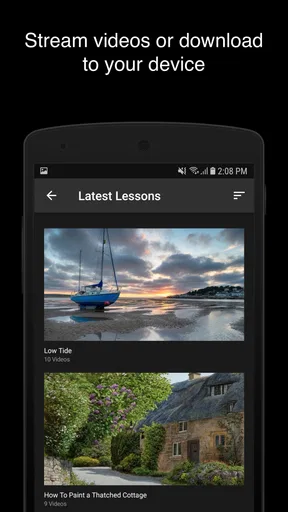
I approached MICHAEL JAMES SMITH TV as an art-learning app rather than a general entertainment service. Its focus is painting lessons on demand, and that narrow purpose is its biggest strength: instead of asking me to search through a huge collection of unrelated creative material, it puts the experience around learning to paint. For someone who wants guided instruction from Michael James Smith, that directness is appealing.
My review also looks at something that is easy to overlook in an art app: how comfortably different people can actually use it. A lesson may be artistically useful, but it still has to be readable, easy to navigate, manageable for someone with limited hand control, and practical in a busy home. In those areas, this app has clear advantages, but it is not automatically ideal for every learner.
How the lesson experience feels to use
I find the lesson format works best when I decide what I want to practice before opening a session, rather than trying to absorb every stage at once. Watching with a particular question in mind—such as how a passage is built up—helps me turn the demonstration into a more useful reference. That makes the next choice practical: arranging the lesson and workspace so I can learn without repeatedly interrupting the painting.
Readability and navigation
The first thing I value in a lesson app is knowing what to do next without spending more time managing the interface than learning. MICHAEL JAMES SMITH TV benefits from its focused identity. It is not trying to be a drawing editor, a social network, and a digital canvas at once. That makes the basic purpose easy to understand: open the app, find a lesson, and prepare to follow along with paint in front of me.
The simple concept should work well for beginners who feel intimidated by traditional art instruction. A new painter does not necessarily need a complicated collection of brushes, layers, filters, and export controls. Those tools are useful in digital-art applications, but they can distract from the central task of observing a process and repeating it with physical materials. Here, the learning content is the point.
For me, the most useful way to approach a lesson is to treat the app as a visual reference rather than something I must operate constantly. I can watch a section, pause mentally at an important stage, and then concentrate on my own canvas. That reduces the need to tap around while holding a brush. It also makes the app more suitable for people who find rapid interface changes tiring or confusing.
There is an important distinction between a clear learning path and a fully customized learning system. This app is built around Michael James Smith’s teaching, so it is a good fit if his approach matches the way you like to learn. It is less suitable if you want a broad marketplace of instructors, short lessons from many styles, or a course builder that lets you assemble a completely personal curriculum.
Worth Reading Before You Choose

EA SPORTS FC Mobile 26 Is a Bigger Football Game, but It Takes Time

Flipboard Shows What News Apps Must Do Beyond the Feed

Switching to Android Auto Means Rethinking Your Driving Routine

Google Calendar Makes a Crowded Week Easier to Manage

Ludo King Makes the Most of the Minutes Between Plans

Baby Panda World Brings Quick Play to Modern Phones, but Its Game Library Feels Busy
I would recommend setting up the viewing device before starting to paint. Place it where the image can be seen without repeatedly leaning forward or touching the screen with wet or dirty hands. This small change matters more than it sounds. It turns the app from something I constantly manage into a quiet guide that stays available while I work.
Motor and sensory considerations
Painting lessons can support different physical abilities because the learner can adapt the practical work. A person who cannot comfortably make large brush movements may work on a smaller surface, use a lighter tool, or divide a lesson into shorter sessions. Those adaptations do not change the value of watching the demonstration, even if the final painting process looks different from the instructor’s.
That flexibility is one of the app’s genuine strengths, but it comes from the relationship between the lesson and the user’s own materials, not from a specialized accessibility mode. I would not assume that every learner will find the viewing experience equally comfortable. People with low vision may need a larger screen or a closer viewing position, while someone sensitive to visual movement may prefer to stop frequently and study one stage at a time.
For users with limited fine-motor control, I suggest separating observation from execution. Watch enough of a section to understand the goal, stop the lesson, and then make the marks slowly. Trying to keep pace with a demonstration can create unnecessary pressure. The app works better when I use it as an adjustable reference, not as a timed test.
A voice-controlled or hands-free workflow would be especially valuable during painting, since physical interaction with a device is awkward when my hands are occupied. I would also be cautious about placing a phone next to an easel. A tablet or larger display is likely to be more comfortable for many people, particularly when details in a landscape painting matter. That is a practical consideration rather than a claim that the app includes a specific display or accessibility setting.
Sensory comfort also depends on the painting environment. Strong lighting, paint smells, wet surfaces, and the need to clean tools can affect whether a learner can stay engaged. The app cannot remove those parts of physical painting. Someone who wants a completely clean, quiet, screen-only experience may prefer a digital drawing application instead, even though it will teach a different kind of art.
Using it in everyday situations
I can imagine using the app on a quiet weekend afternoon: I prepare the paints first, place the device at a comfortable angle, and watch enough of the lesson to understand the next stage. Rather than trying to finish everything in one sitting, I focus on one section of the painting and return later. That approach is more realistic than treating an on-demand lesson like a live class where every step must happen immediately.
The same structure can suit a parent or carer who has short periods of uninterrupted time. A lesson can become a reference for a twenty-minute session before the household becomes busy again. The trade-off is that physical painting requires preparation and cleanup, so the app is easier to use when the user has already organized materials. It is not an instant distraction that can be picked up with no setup.
For a beginner, I would keep a small notebook nearby and record three things: the stage I reached, the color or technique I need to revisit, and what felt difficult. This turns passive watching into a more deliberate learning routine. It is also helpful for people who need extra repetition, because they can return to a specific goal instead of rewatching everything without a plan.
The on-demand format is useful for different schedules. I do not have to attend at a fixed hour, which can help people who work irregular shifts, study, share care responsibilities, or simply learn better late at night. At the same time, the lack of a live teacher means I cannot expect immediate personal correction. If I repeatedly make the same mistake, I may need another source of feedback, such as a local class or an art community.
This is where the app compares favorably with ordinary video searches. General video platforms offer an enormous range of painting demonstrations, but that abundance can make it difficult to judge which lesson belongs to a coherent method. MICHAEL JAMES SMITH TV feels more purposeful for someone specifically seeking this instructor’s teaching. On the other hand, a general platform may be better for comparing several artists, finding a very specific technique, or choosing shorter beginner exercises.
Where the experience may create friction
The app is free to install, which lowers the barrier for trying it. However, in-app purchases range from around 34 dollars to around 325 dollars per item. That is a significant consideration, especially for a casual learner who has not yet decided whether this teaching style suits them. I would explore the available experience carefully before treating the app as a long-term course purchase.
The difference between free access and paid learning is important here. A person may be happy to sample the app but still feel uncomfortable committing to a high-cost item without knowing how much content it contains, how deeply it explains each stage, or whether the teaching pace matches their needs. Since the purchase range is broad, budget-conscious users should approach the paid options deliberately rather than assuming that every lesson is included at no cost.
There is also a commitment in the subject itself. This is not a quick coloring tool or a casual sketch pad. Painting requires supplies, workspace, patience, and willingness to accept imperfect results. Someone looking for instant creative output may have a better experience with a digital coloring app. Someone who wants to develop observation and brush control may find the slower process worthwhile.
Another limitation is the instructor-centered format. I see that as a benefit when I want a recognizable teaching voice and a consistent approach, but it can feel restrictive if I want instruction adapted to my exact ability level. A complete newcomer may need more explanation of materials and basic technique, while an experienced painter may want advanced critique rather than demonstration alone. The app’s usefulness depends heavily on where the learner sits on that spectrum.
People who rely on captions, transcripts, adjustable text, or other specific support should check the lesson experience directly on their own device before purchasing anything. I would not treat the app’s Everyone age rating as proof that it meets every accessibility need. It tells me the content is broadly suitable for all ages, not that every visual, hearing, motor, or cognitive requirement has been addressed.
Who should use it, and who should choose another tool?
I think MICHAEL JAMES SMITH TV is strongest for a learner who wants painting instruction on demand and prefers following one artist’s approach. It can also suit someone who learns by watching a finished technique unfold rather than reading long written instructions. The ability to stop, study, and continue at a personal pace makes it more forgiving than a live workshop.
It is less convincing for someone who wants to create entirely on a phone or tablet. This is an art-learning app, not a replacement for a digital painting studio. It also may not be the best first choice for a user who needs highly structured exercises, personal critique, or a wide range of teachers. In those cases, a local class, an online course platform with instructor feedback, or a digital drawing app could offer a better match.
Families may appreciate the Everyone content rating, but younger learners will still need help with paint, water, cleaning, and device placement. The rating does not remove the practical responsibilities of a physical art activity. For an older beginner, the app’s on-demand nature may be helpful because it avoids the pressure of keeping up with a group, provided the screen is comfortable to see and the lesson can be paused in a convenient way.
The developer, PalettePro Ltd, has positioned the product around a clear artistic identity rather than a broad catalog of unrelated creative tools. That focus makes the decision easier: if you are specifically interested in Michael James Smith’s painting lessons, it deserves a closer look. If you are only searching for any free art app, there are other categories of tools that may better fit your goal.
What the store details mean in practice
The app belongs to Art & Design and was released on February 11, 2020. Its current version is 10.200.1, and it requires Android 8.0 or later. Those details matter if you are using an older phone or tablet, because the operating-system requirement should be checked before planning a lesson routine around the app.
The service has passed 10 thousand installs and holds a 4.9 average from 211 ratings, with 36 written reviews. That response suggests strong satisfaction among the people who chose to rate it, although I would still read the written comments with my own situation in mind. A high average cannot tell me whether the lesson pace, purchase structure, or viewing experience works for a user with particular access needs.
The app itself is free, but the paid items change the decision from “Can I try this?” to “Is this teaching experience worth the cost for me?” I would begin with the least expensive way to understand the format, prepare my workspace, and decide whether I can follow the instruction comfortably. That is a better approach than buying based only on the rating.
My inclusive verdict
After looking at the app through the lens of different abilities and real-life settings, I see a focused painting resource with a welcoming basic idea but practical limits. Its strongest inclusive quality is flexibility: I can watch at my own time, pause my physical work, adjust the size and pace of my painting, and arrange the device to suit my space. Those choices can make a meaningful difference for beginners and for people who need more time between steps.
Its weaker side is that the experience still depends on visual demonstration, physical materials, and comfortable device interaction. Users who need specific captioning, strong text customization, hands-free control, or individualized feedback should investigate those needs before spending money. The app should not be judged only by how attractive the finished paintings look; the real question is whether its teaching format fits the way you see, move, concentrate, and learn.
My recommendation is conditional but positive: try it if you want Michael James Smith’s painting instruction and are prepared to learn through patient, hands-on practice. Use a larger screen when possible, organize materials before pressing play, and treat each lesson as a sequence of manageable references rather than a performance to copy in real time. Skip it if you want a fully digital drawing tool, many unrelated instructors, or guaranteed one-to-one adaptation.
For the right learner, MICHAEL JAMES SMITH TV can turn an open afternoon into a structured painting session without the pressure of attending a class. For everyone else, its focused teaching style and costly in-app options may feel too narrow. I would give it a careful try, but I would make the purchase decision only after confirming that the presentation is comfortable and that the instructor’s method genuinely helps me improve.
Pros
- Easy access to Michael James Smith’s latest videos and tutorials.
- Useful for viewers interested in watercolor techniques and painting inspiration.
- Video content is convenient to watch on mobile devices.
- Helps fans keep up with new uploads in one dedicated place.
- Simple way to explore painting demonstrations without searching manually.
Cons
- Content may appeal mainly to watercolor enthusiasts and artists.
- Requires an internet connection for most video content.
- Video quality and loading speed may depend on your connection.
- Limited usefulness if you prefer other art styles or instructors.
- May not offer advanced tools for saving or organizing favorite lessons.
FAQs for MICHAEL JAMES SMITH TV
What is MICHAEL JAMES SMITH TV?
MICHAEL JAMES SMITH TV is a streaming-focused app associated with Michael James Smith’s television and video content. It is designed to give viewers a convenient place to watch available programs, episodes, interviews, or related features from a mobile device. The exact catalog may vary by region and can change over time, so users should check the current in-app selection before downloading.
Is MICHAEL JAMES SMITH TV free to download and use?
The application may be available to download at no initial cost, but that does not always mean every video or feature is free. Some content can require a subscription, account, one-time payment, or access through a participating service. Before watching, review the app-store listing and any pricing information shown inside the application, particularly if you plan to use premium content or recurring memberships.
What devices are compatible with MICHAEL JAMES SMITH TV?
Compatibility depends on the version published for Android or iOS and on the operating-system requirements set by the developer. Recent phones and tablets will generally provide the best experience, while older devices may not support the latest release or may have performance limitations. Check the official store page for required Android or iOS versions, supported device types, and available updates before installing.
Does MICHAEL JAMES SMITH TV require an internet connection?
Yes, users should expect an internet connection to be necessary for streaming videos, loading the catalog, signing in, and receiving updated content. Wi-Fi is recommended for longer viewing sessions because mobile streaming can consume a significant amount of data. Whether episodes can be downloaded for offline playback depends on the app’s current features, account permissions, and the rights associated with individual programs.
Is MICHAEL JAMES SMITH TV safe to install?
The safest way to install MICHAEL JAMES SMITH TV is through the official Google Play Store or Apple App Store rather than through unofficial download websites. Before installation, confirm the developer name, read recent user reviews, and review the permissions requested by the app. Also examine its privacy policy to understand how account details, viewing activity, and device information may be collected or used.


